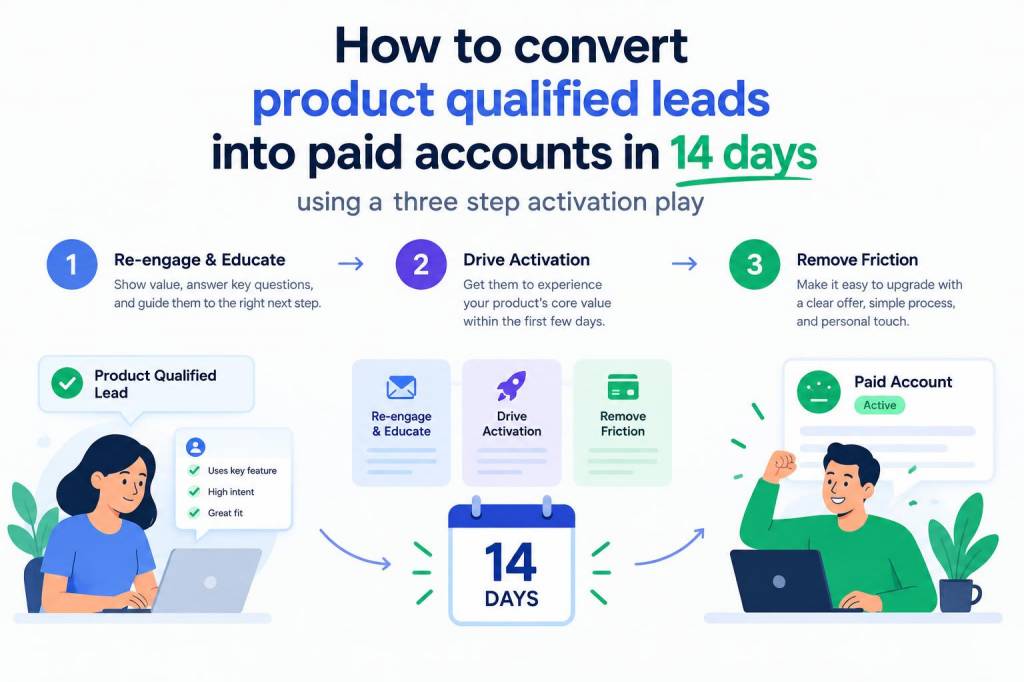
I often get asked: how do you turn a product-qualified lead (PQL) — someone who has shown real product intent — into a paying account within two weeks? In the last few years I’ve refined a simple, repeatable three-step activation play that reliably shortens conversion time and improves paid conversion rates. It’s tactical, measurable and built around one principle: reduce friction at the moment of purchase while increasing perceived value through guided outcomes.
The three-step activation play — high level
The play is intentionally tight: a targeted activation email sequence, an in-app guided activation that completes the core “Aha!” moment, and a short, high-value expert session or concierge push that moves the deal to a purchase decision. Each step has a clear KPI and a one-week timebox. The goal is to convert PQL -> paid in 14 days.
Why this works
PQLs differ from marketing-qualified leads because they’ve already experienced value in your product. What they need next is a clear path from value to paid value: proof that the product will deliver at scale, confidence that implementation is feasible, and an easy billing moment. This play addresses those three needs directly: activation removes doubt about fit, the expert session validates scale and ROI, and a time-limited incentive or frictionless billing removes buying inertia.
Step 1 — Targeted activation email (days 0–3)
Immediately after the PQL event (trial action, quota reached, repeated feature use), trigger a short, personalized email sequence that calls out what the user achieved and what the next meaningful step is.
Core elements of the email:
Sample email copy (short):
Hi [First Name],
I noticed you’ve already imported 200 contacts — great start. Finish the quick setup (takes 3 minutes) to activate automated outreach and see which contacts are meeting-ready.
Click to finish setup → [single CTA link]
Step 2 — In-app guided activation (days 1–7)
The email gets them back to the product. Once they arrive, the in-app experience must be frictionless and directed at one meaningful outcome — not a full product tour. I prefer a guided checklist or an interactive task that demonstrates real value in under 10 minutes.
Design checklist for the in-app flow:
Example flow for a marketing automation tool:
| Step | User action | Outcome |
|---|---|---|
| 1. Confirm contact list | Accept preselected list | Populated campaign audience |
| 2. Choose template | Select one of 3 templates | Live email preview |
| 3. Activate automation | Click “Start automation” | First automated send scheduled |
Step 3 — High-value expert session or concierge push (days 4–14)
This is where most companies fail: they rely on product time to sell itself. Instead, I use a tightly scoped 15–30 minute call or live session that aims to remove the last implementation doubts and create a plan for the first 30 days as a paying customer.
What the session includes:
Sales + CS scripting tip: ask for commitment using a low-friction close — “If this plan looks good, I can upgrade your account now and enable X features—should I proceed?”
Operational playbook — cadence and ownership
You’ll need alignment across marketing, product, CS and sales. I recommend this simple ownership model:
Suggested cadence:
| Day | Action |
|---|---|
| Day 0 | PQL detected → immediate activation email |
| Day 1–3 | In-app guided activation; reminder email if not completed |
| Day 4–10 | Offer and schedule expert session; run session |
| Day 7–14 | Follow-up close + time-limited incentive (discount or onboarding credit) |
Time-limited incentives and friction reduction
Use incentives sparingly and strategically. A 10–20% onboarding credit or one month free on annual is effective if paired with the expert session. The incentive should have a short expiry (7 days) to create urgency without discounting long-term value.
Metrics to track
To iterate fast, track a tight set of metrics:
Quick experiments to validate the play
Run these A/B tests over 2–4 weeks with a priority on speed:
I ran this play at a B2B SaaS where PQLs were defined by repeated use of the analytics dashboard. After implementing the three-step sequence, we increased 14-day paid conversion from 12% to 28% and cut median time-to-pay from 31 days to 11 days. The biggest lift came from the in-app guided activation: showing a pre-filled dashboard with real data removed the final doubt about value.
If you want, I can share a simple checklist template and the exact email and session scripts I use. Tell me your product’s PQL trigger and I’ll adapt the play to that user journey.